Founding 100: free forever · Built in Tampa

You met 12 people last night. Who are you calling this week?

NetworkingOS is the app in your pocket for people who network for business. Add someone in 30 seconds, remember why they matter, and actually follow up.

Request early access See how it works

Not a CRM. No pipelines, no 40-field forms, no setup call.
9:41
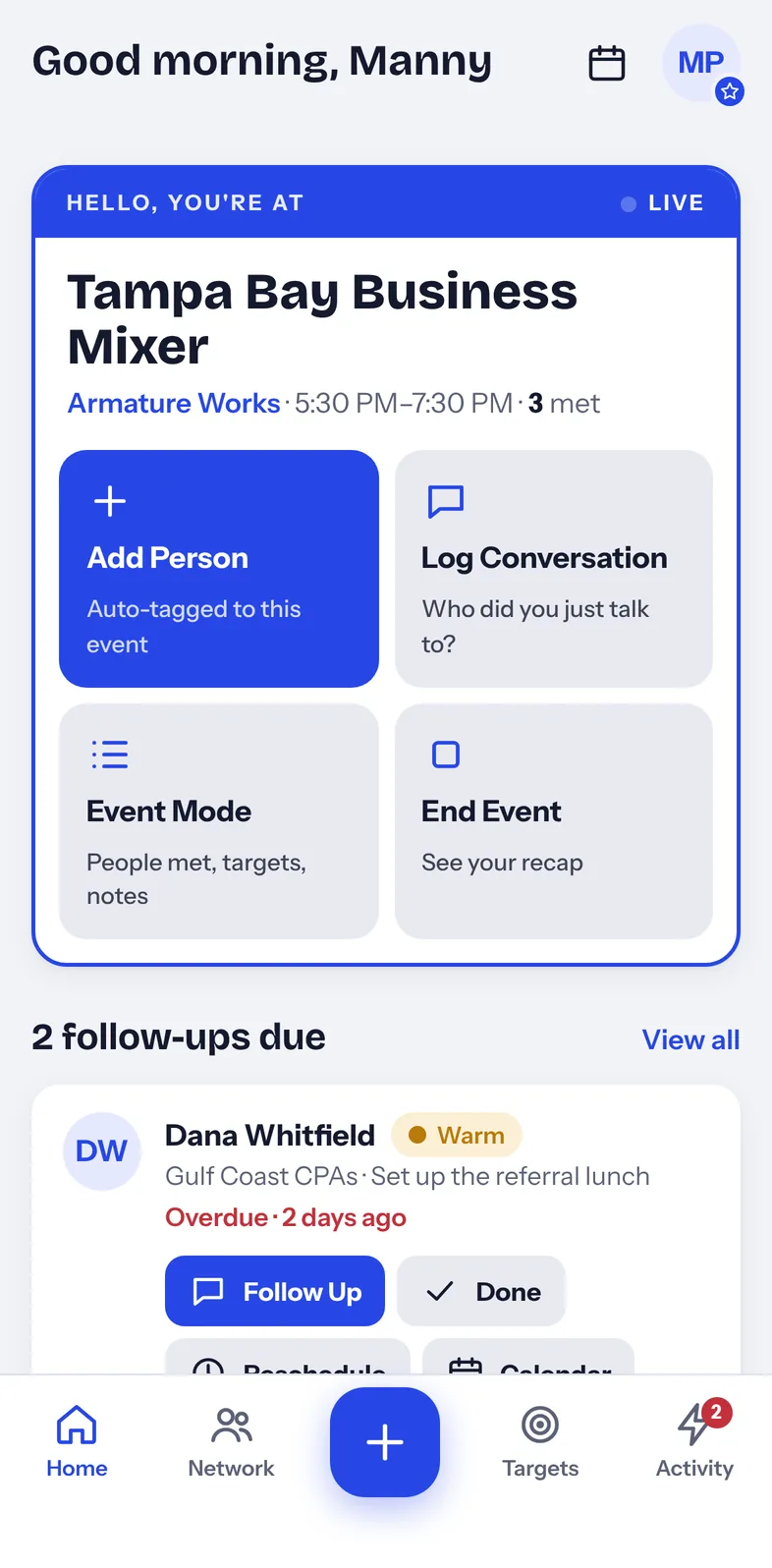
The NetworkingOS home screen in Event Mode at the Tampa Bay Business Mixer, with Add Person and Log Conversation buttons

The stack of business cards on your desk is where good relationships go to die.

You forget names by Friday. Great conversation, firm handshake, and by the end of the week you can't remember if it was Mike from the bank or Mark from the title company.
Follow-ups quietly slip. You meant to send that email. Then a client called, then it was next month, and now it's awkward.
You can't tell what's working. You go to a lot of events. Which ones actually turn into referrals and business? Right now it's a guess.
How it works

Built for the before, the during, and the after.

01 · Before Know who you want to meet. Add the events you're going to and the people you're hoping to run into. Walk in with a plan instead of a nametag and a prayer.
Robert Johnson CEO, XYZ Construction Want to Meet
Lisa Chen Chamber President Intro Requested
02 · At the event Tap "I'm Here." Then just add people. Everyone you add gets tagged to the event automatically. Name, company, hot, warm or cold. Done before the next handshake.
Met at Tampa Bay Business Mixer Sarah Martinez ABC Bank · Commercial Banker
Hot Warm Cold
Save & Log Conversation
03 · After Follow up while it still matters. Pick tomorrow, 3 days, a week. NetworkingOS reminds you as gently or as relentlessly as you want, until it's done.
3 follow-ups due today
Sarah MartinezSend the realtor intro Complete
John SmithCoffee next week? Complete
See every feature
Events

Your networking calendar, without the busywork.

Follow the groups you go to on Eventbrite and their events show up in NetworkingOS on their own. No copying dates, no hunting for addresses.
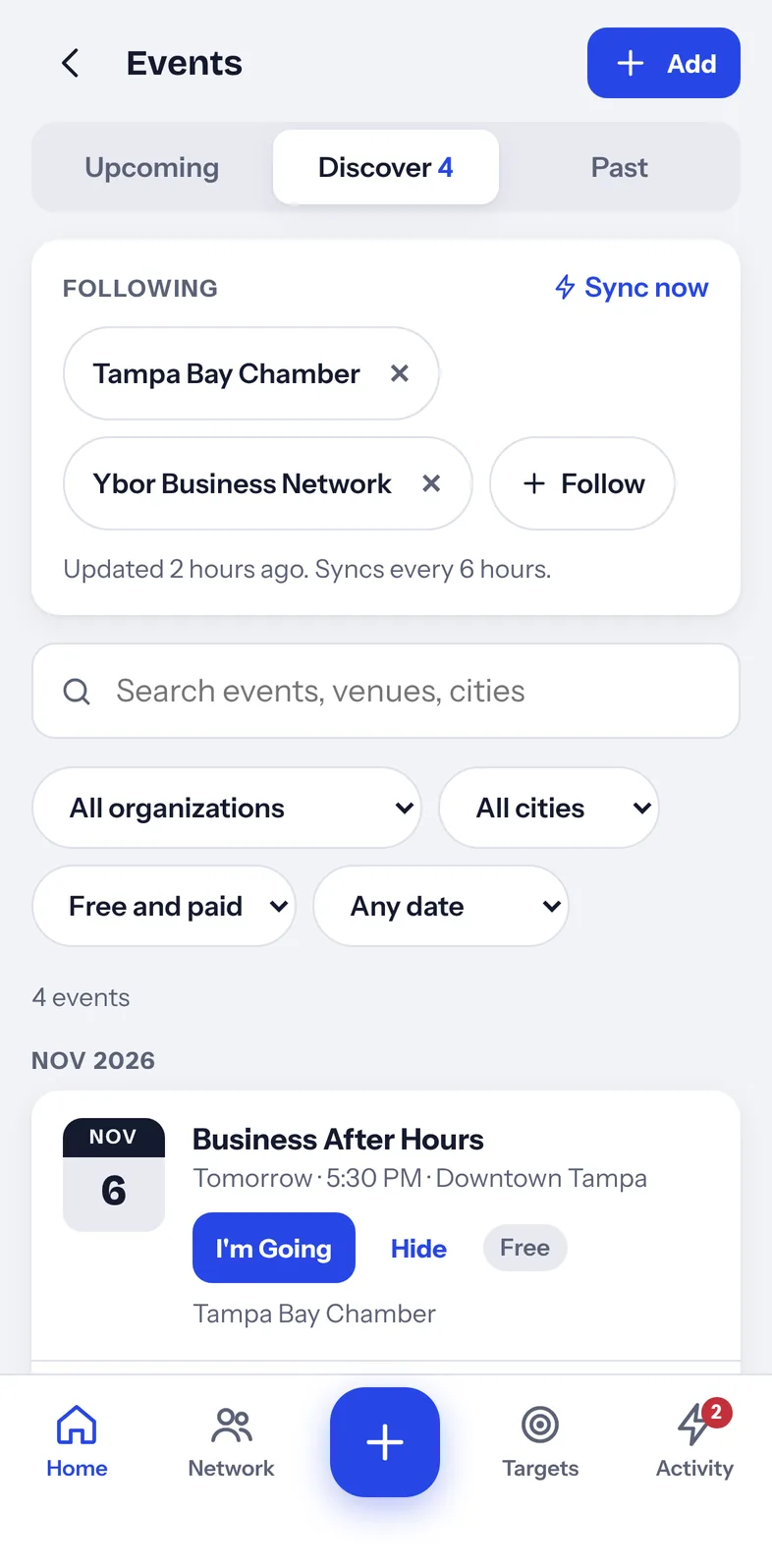
Discover what's coming upEvery event from the organizers you follow, in one list. Filter by city, this week, or free.
One tap: I'm GoingIt lands on your schedule with the time and venue filled in. If the organizer changes anything, it updates.
On your calendar, with directionsAdd it to your phone's calendar and get directions in Apple or Google Maps right from the event.
Walk in with a planPin the people you want to meet to the event. When you tap I'm Here, they're right there with you.
9:41
The Events screen on the Discover tab, listing upcoming events from followed organizers with I'm Going buttons
The part everyone else skips

Networking is a two-way street. Your app should know that.

Most contact apps track what people can do for you. NetworkingOS also keeps track of what you can do for them. That's what makes people pick up when you call.
SM Sarah MartinezCommercial Banker, ABC Bank
Warm Referral Partner Importance 4 of 5
I can help her with An intro to a commercial real estate agent
She can help me with Intros to business owners who need marketing
9:41
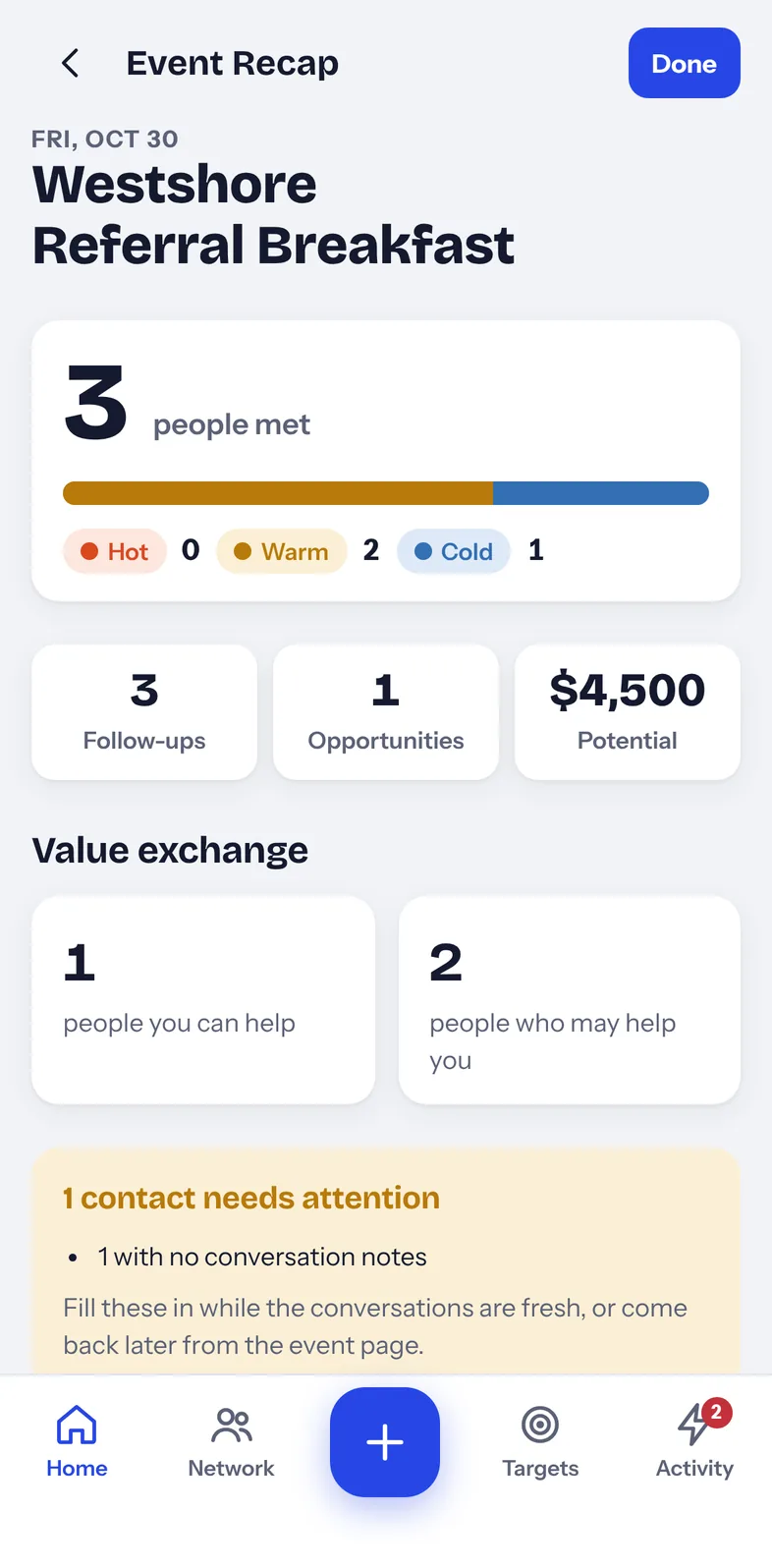
Event recap for the Westshore Referral Breakfast: 3 people met, follow-ups, opportunities and value exchange
Event recap

Find out which events are worth your Thursday nights.

When you end an event, you get a quick recap: who you met, who's hot, who still needs a follow-up. Over time you'll see which rooms actually turn into referrals and business.

Made for people whose business runs on relationships.

Business owners Chamber members BNI members Realtors Financial pros Attorneys Consultants Sales reps Recruiters Marketers

And on purpose, it's not a CRM.

No pipelines to babysit. Just people, and what to do next with each of them.
No 40-field forms. Taps and quick picks, built to use standing up.
No team setup or training. It's yours. Useful in 30 seconds.
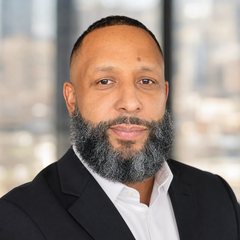
Manny, founder of NetworkingOS
Why I built this

I'm Manny. I live and work in Tampa, and a lot of my business comes from the rooms I walk into: chamber mixers, business lunches, coffee meetings.

For a long time my system was a stack of business cards and good intentions. I'd have a great conversation, promise to follow up, and then the week would get away from me. The people weren't the problem. My follow-up was.

CRMs didn't fit. They're built for sales teams chasing deals, not for someone trying to remember that Sarah at the bank wants an intro to a contractor. So I built the tool I wanted: fast enough to use standing in a crowded room, and focused on what matters after the event. Following up, and showing up for people.

I use it every time I go out to network. If you network for your business too, I'd love your help shaping it.

MannyFounder, NetworkingOS
Early access

Get in early.

We're letting people in a few at a time so we can actually talk to each of you and make this thing great. Tell us a little about how you network and we'll reach out.

The Founding 100 The first 100 members get NetworkingOS free. Forever. No trial, no catch. Join, use it, and it stays free for as long as you keep your account.
No spam. We'll only email you about your access.

Questions

Privacy and your data
Who can see my contacts?Only you. Your network is yours. Nobody else can browse it, and we don't look through it.
Do you sell my data?No. There are no ads, and we never sell your information or share it for advertising. This website uses Google Analytics so we can see how people find us, but nothing inside the app is tracked.
Can I get my data out?Anytime. Export everything to a spreadsheet that opens in Excel, Google Sheets, or another CRM.
What if I want to leave?Delete your account from settings and everything goes with it, permanently.
Using it
What if there's no signal at the event?Keep going. It works offline and syncs as soon as you reconnect, so a basement ballroom won't cost you a contact.
Will it remind me, or do I have to remember to check?It sends reminders to your phone. You pick how gentle or persistent they are, from one nudge to reminding you until it's done.
Can I use it on my phone and my computer?Yes. It's built phone-first, works on your computer too, and keeps everything in sync.
Can people get my info from me?Yes. Share My Card puts up a QR code they scan with their camera to save your contact.
Is it right for me?
How is this different from my phone's contacts or a CRM?Your contacts app remembers phone numbers. A CRM tracks deals. NetworkingOS remembers where you met, why it matters, and when to follow up.
I only go to a couple of events a month. Is it worth it?Probably more so. The more time between events, the more you forget, and the easier it is for follow-ups to slip.
Is this for my whole team?Not yet. Right now it's built for you, the person doing the networking. Team features may come later.
Getting started
When can I start using it?We're opening spots in small batches. Request access and we'll reach out when yours is ready. The sooner you request, the better your shot at the Founding 100.
What does it cost?The first 100 members are our Founding 100, and it's free for them forever, as long as they keep their account. After that we'll add a paid plan, and anyone not in the Founding 100 will hear from us well before anything changes.