Features

Everything NetworkingOS does

Built around how networking actually works: plan before the event, capture fast while you're there, and follow up while it still matters. Every screen below is the real app.

Before the event

Walk in with a plan instead of a name tag and a prayer.

Event prep brief

Know who to find before you walk in.

9:41
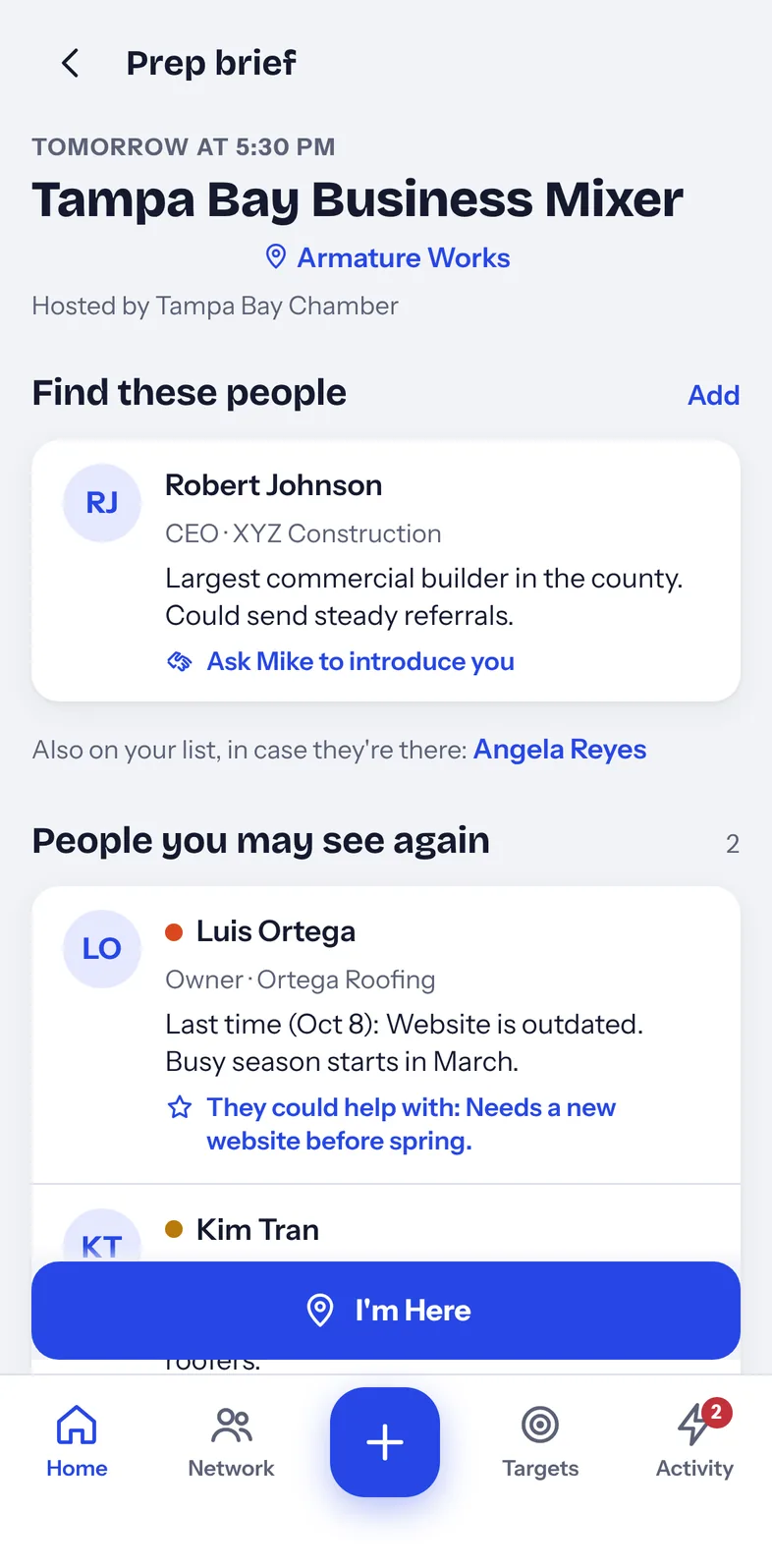
Prep brief for the Tampa Bay Business Mixer, listing people to find and people you may see again

The day before an event, NetworkingOS puts together a short brief: the people you want to meet there and who could introduce you, people you met at earlier events from the same host or venue with your last note about them, open follow-ups, and your 10-second intro.

  • Shows up on Home two days before the event
  • Your day-before reminder opens it
  • Built from your own notes, nothing to fill in
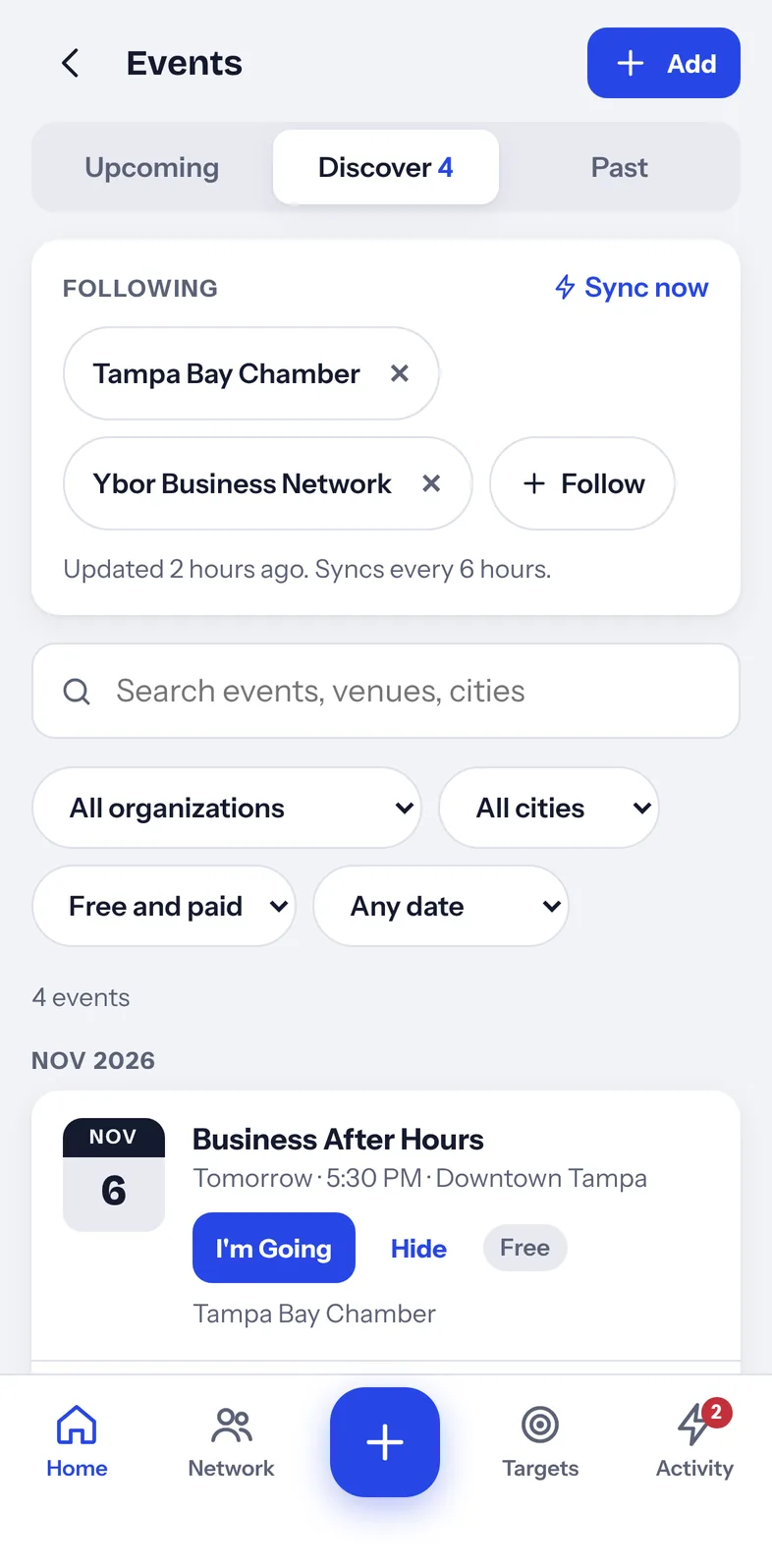
Discover events

Your networking calendar fills itself.

9:41
Events screen on the Discover tab, showing events from followed organizers

Follow the organizers you like on Eventbrite and their upcoming events show up in one list. Filter by city, date, or free. Tap I'm Going and it lands on your schedule, and if the organizer changes the time or place, it updates.

  • Add to Apple or Google Calendar
  • Directions in Apple or Google Maps
  • Syncs every 6 hours

People you want to meet

Keep a short list of the people who could change your year.

9:41
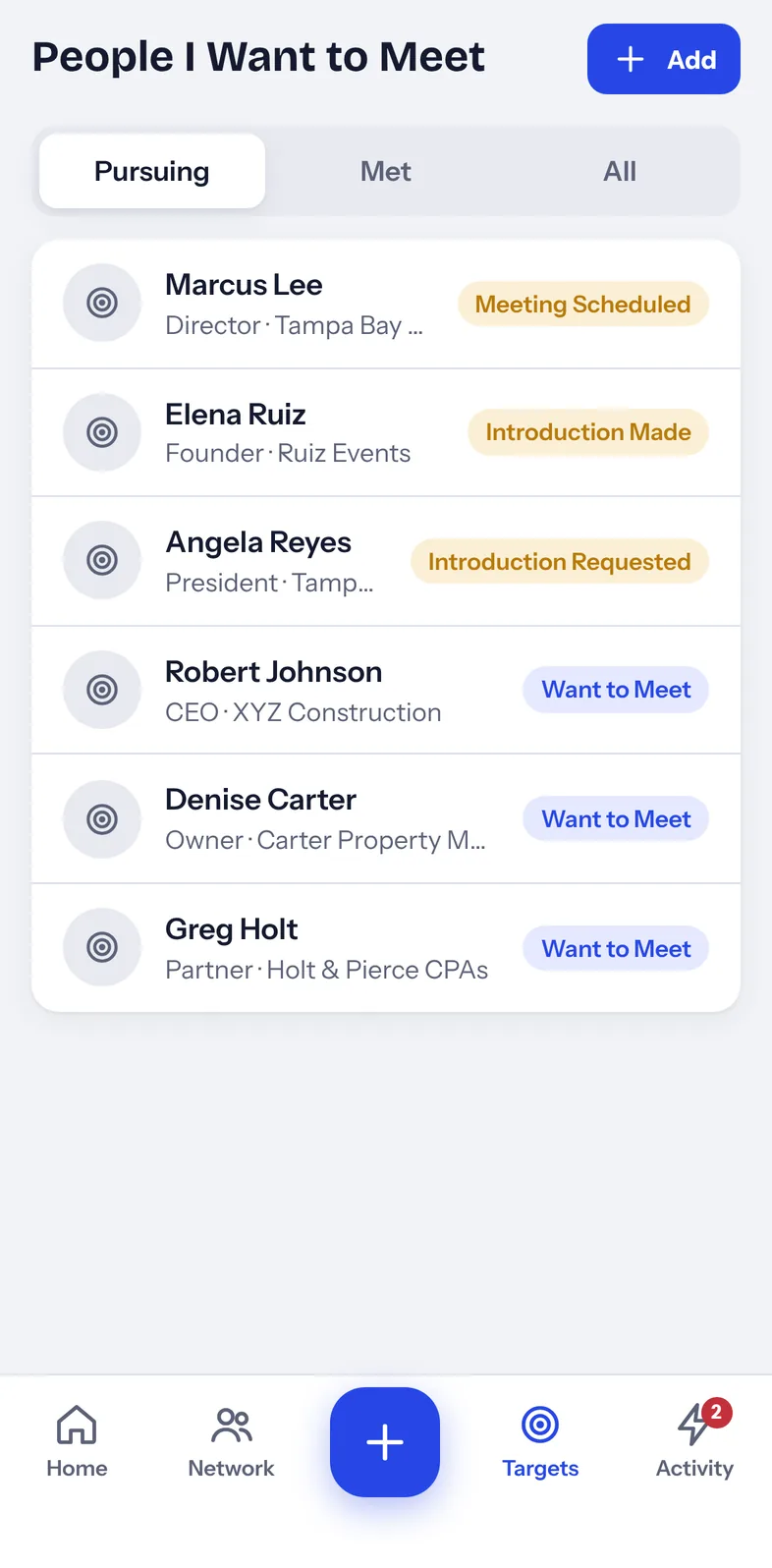
People I Want to Meet list with statuses

Add the people you're hoping to meet, why they matter, and who might introduce you. Track each one from Want to Meet to Introduction Requested to Met. When you finally shake hands, one tap turns them into a contact.

  • Pin them to an event so they show up in your prep brief
  • See who in your network can introduce you

Import your contacts

Bring in the people you already know.

9:41
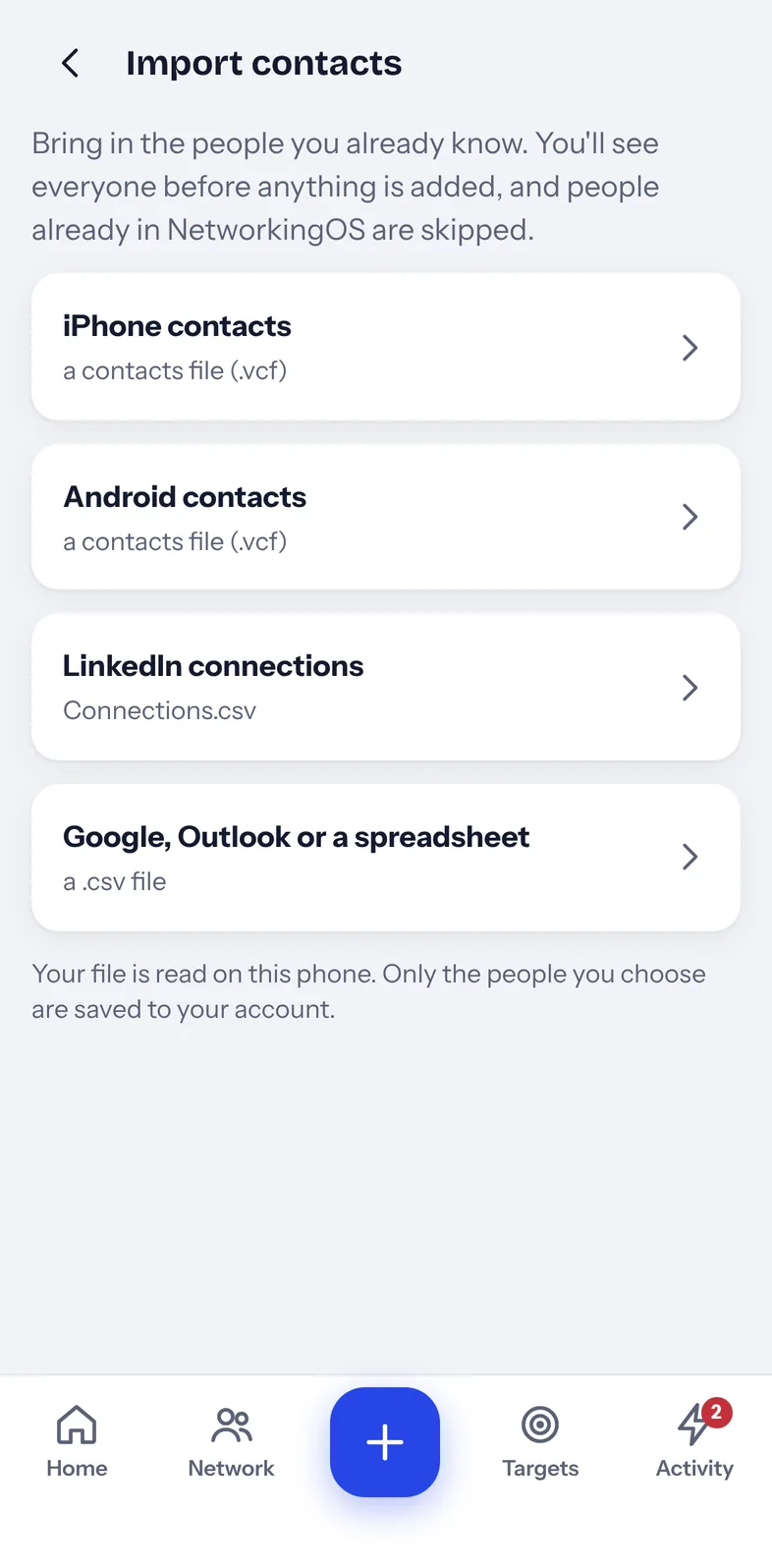
Import contacts screen with iPhone, Android, LinkedIn and spreadsheet options

Pull contacts in from your iPhone or Android, LinkedIn, Google, Outlook, or a spreadsheet. You review everyone before anything is added, set how warm they are and where you know them from, and people already in your network are skipped.

  • Every import can be undone
  • Your file is read on your phone
At the event

Fast enough to use standing in a crowded room.

Event Mode

Tap I'm Here, then just meet people.

9:41
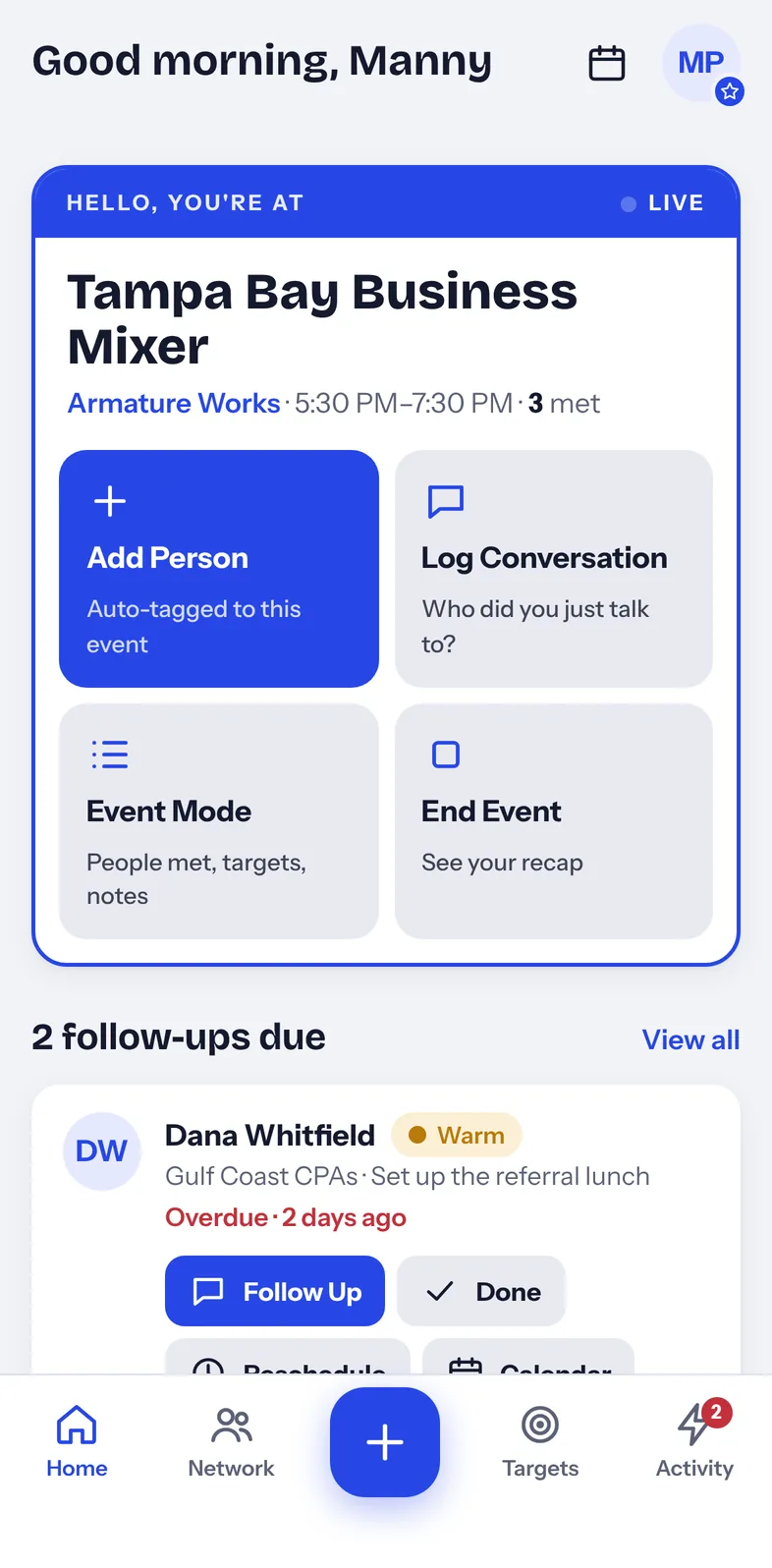
Home screen in Event Mode at the Tampa Bay Business Mixer

When you arrive, tap I'm Here. Everyone you add and every conversation you log is tagged to that event automatically, so you never have to remember where you met someone.

  • Big buttons built for one hand
  • A running count of who you've met
  • End the event to get your recap

Scan business cards

Snap the card, skip the typing.

9:41
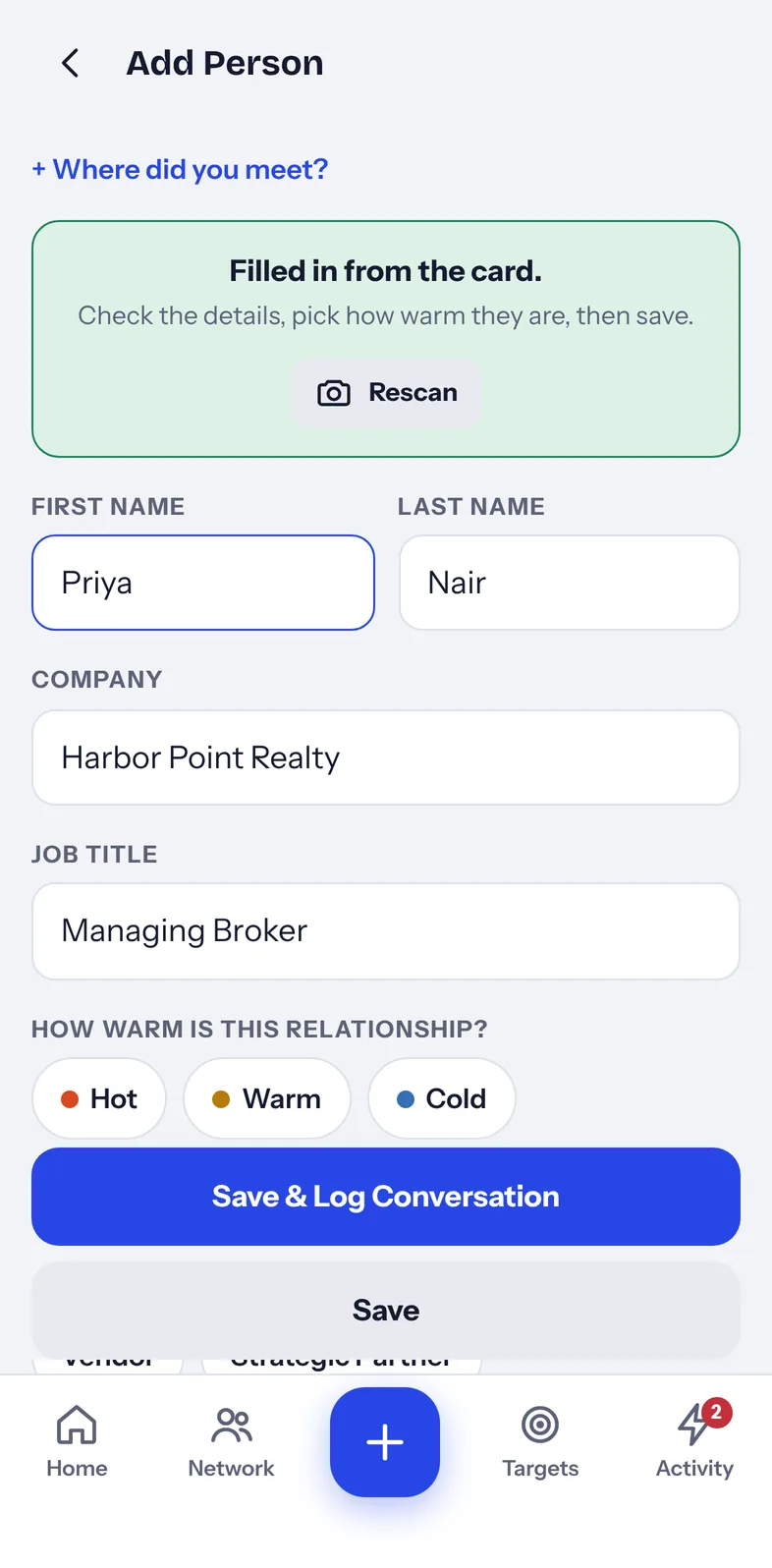
Add Person screen filled in from a scanned business card

Take a photo of a business card and NetworkingOS fills in their name, company, title, email, phone and LinkedIn. Anything else on the card, like a website or address, lands in their notes. Check it, pick Hot, Warm or Cold, and save.

  • Works from Add Person, the + button, or Event Mode
  • You review every field before saving

Voice notes

Talk through the conversation. It fills in the rest.

9:41
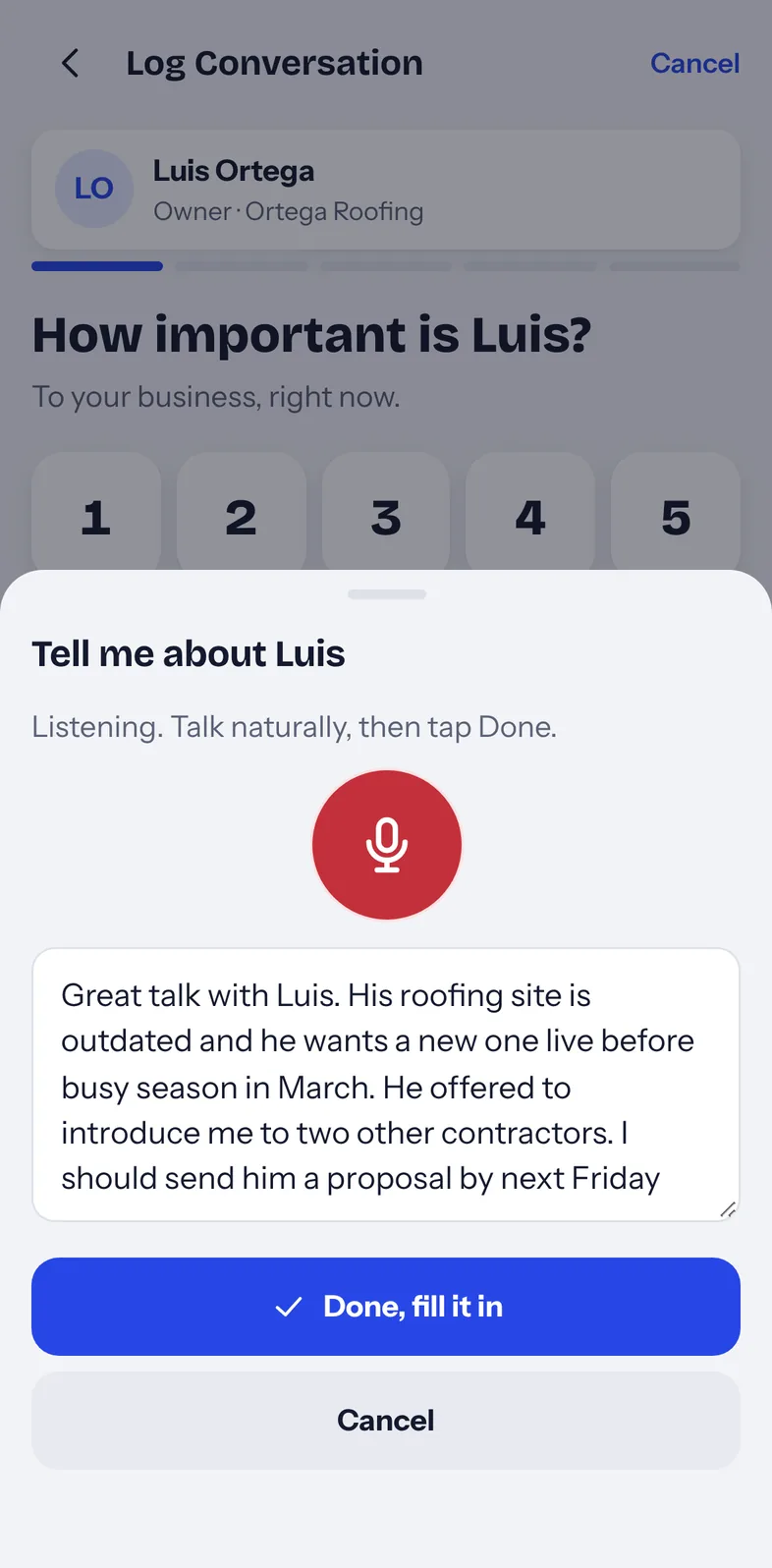
Voice note sheet listening while you describe a conversation with Luis

Right after a conversation, tap Talk it through and say what you discussed. NetworkingOS sorts it into what you talked about, how you can help each other, how important they are, and when to follow up.

  • Every step stays editable before saving
  • Or type, or use your keyboard's microphone

Share My Card

Swap info in two seconds.

9:41
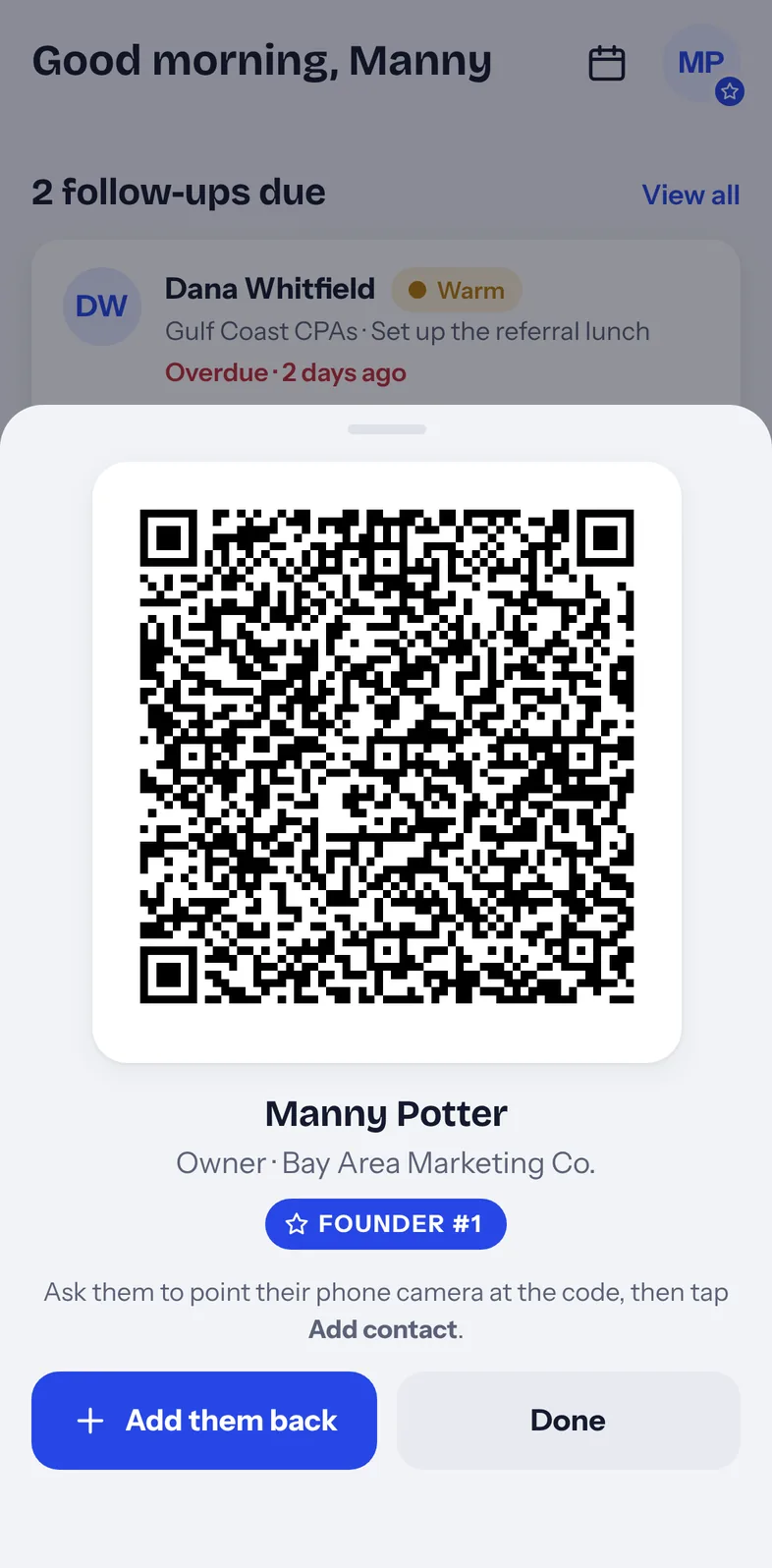
Share My Card showing a QR code with your contact details

Show your QR code and they point their phone camera at it to save your contact: name, company, title, phone, email, website and LinkedIn. Then tap Add them back to add them to your network.

  • No app needed on their end
  • Founders see their Founder badge right on it
After the event

Where the real networking happens.

Follow-up messages

Know what to say, and actually send it.

9:41
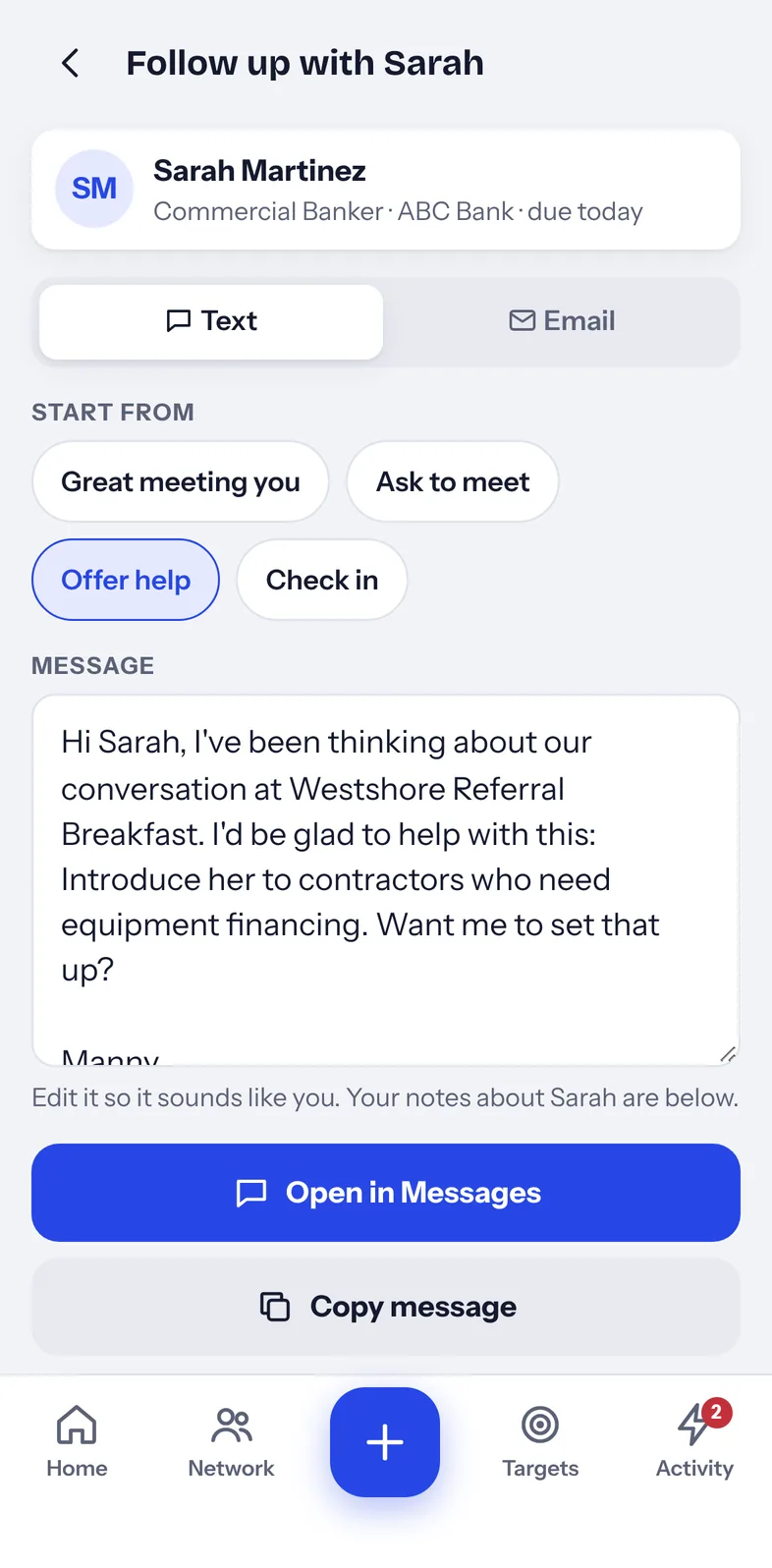
Follow up with Sarah screen with a drafted text message

Each follow-up comes with a draft written from your notes about the person: a thank you, an ask to meet, an offer to help, or a quick check-in. Edit it so it sounds like you and send it from your own Messages or Mail.

  • Reminders on your phone when follow-ups are due
  • Choose Light, Normal or Persistent reminders in Settings

Keep in touch

Check in before people go cold.

9:41
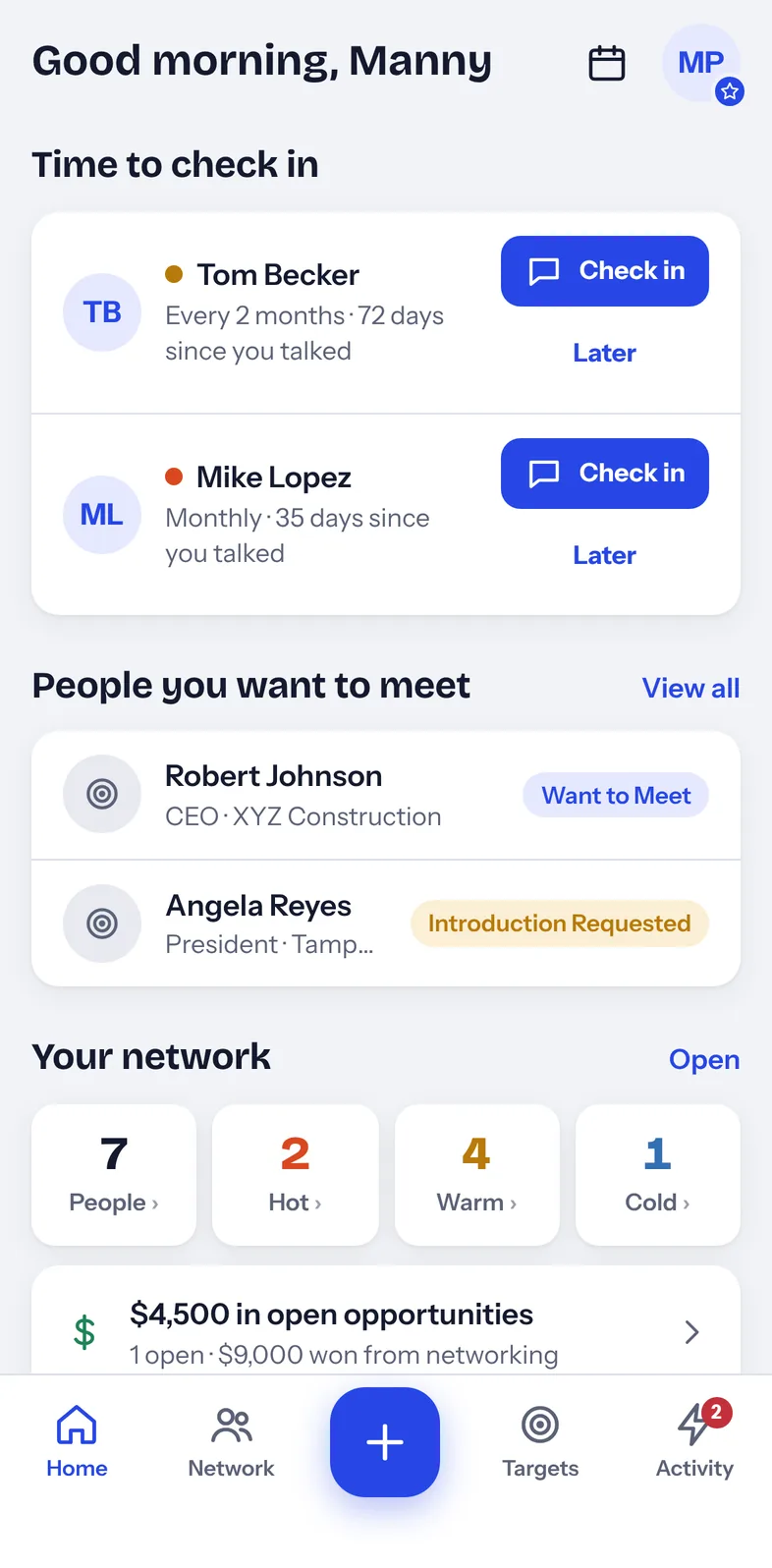
Home screen showing Time to check in with Tom and Mike

Every person gets a rhythm. By default that's monthly for Hot and every two months for Warm, and you can change it for anyone. When it's been too long, they show up under Time to check in with a one-tap message.

  • A gentle Monday reminder lists who's due
  • Any logged conversation resets the clock

Make an introduction

Be the person who connects people.

9:41
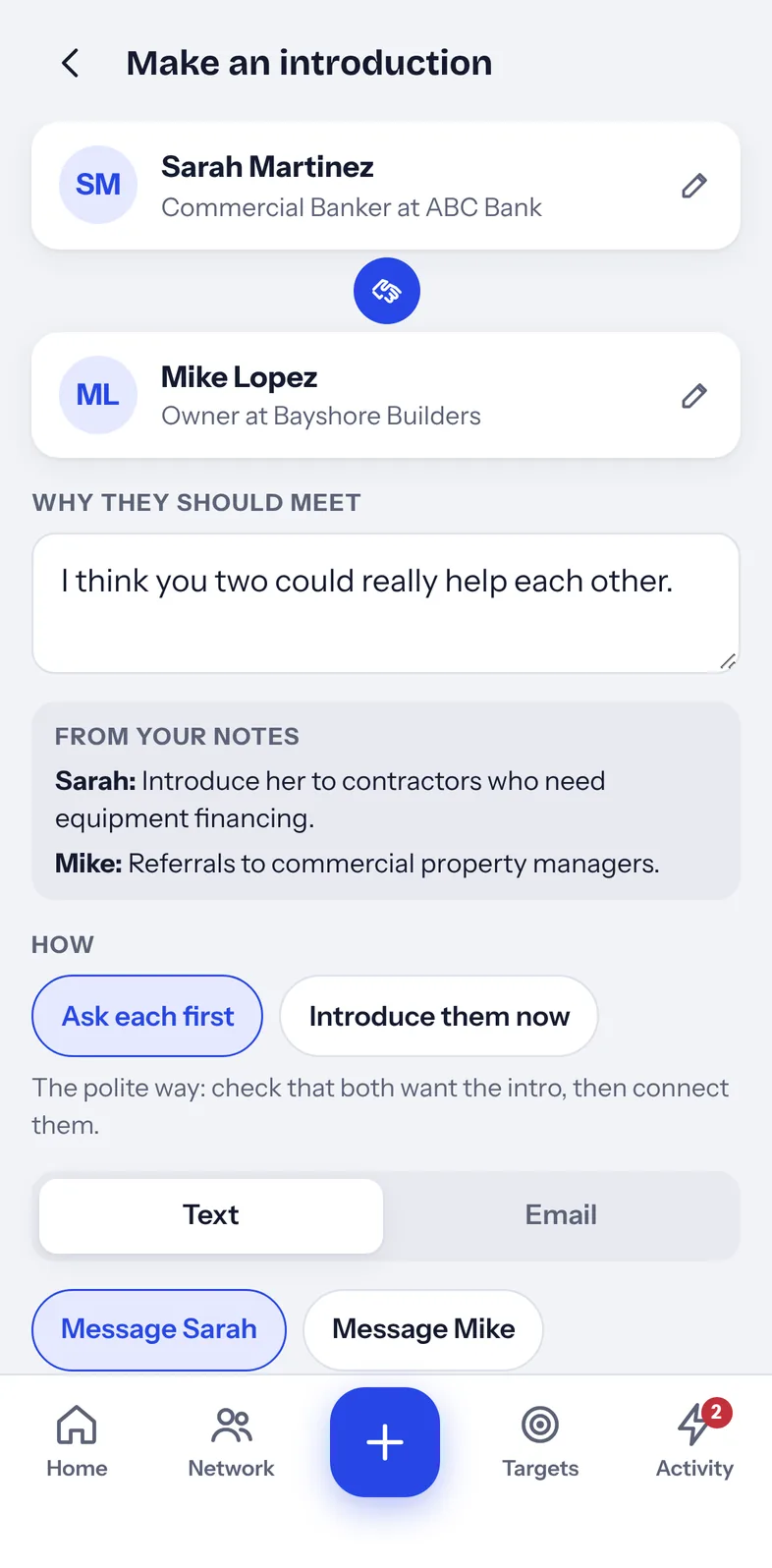
Make an introduction screen connecting Sarah Martinez and Mike Lopez

Pick someone and NetworkingOS suggests good matches from your notes and related trades. It drafts an "are you open to it?" message for each person, or one message to both, and reminds you to connect them once they say yes.

  • Logged on both of their timelines
  • Text or email, from your own phone

Event recap

Find out which events are worth your time.

9:41
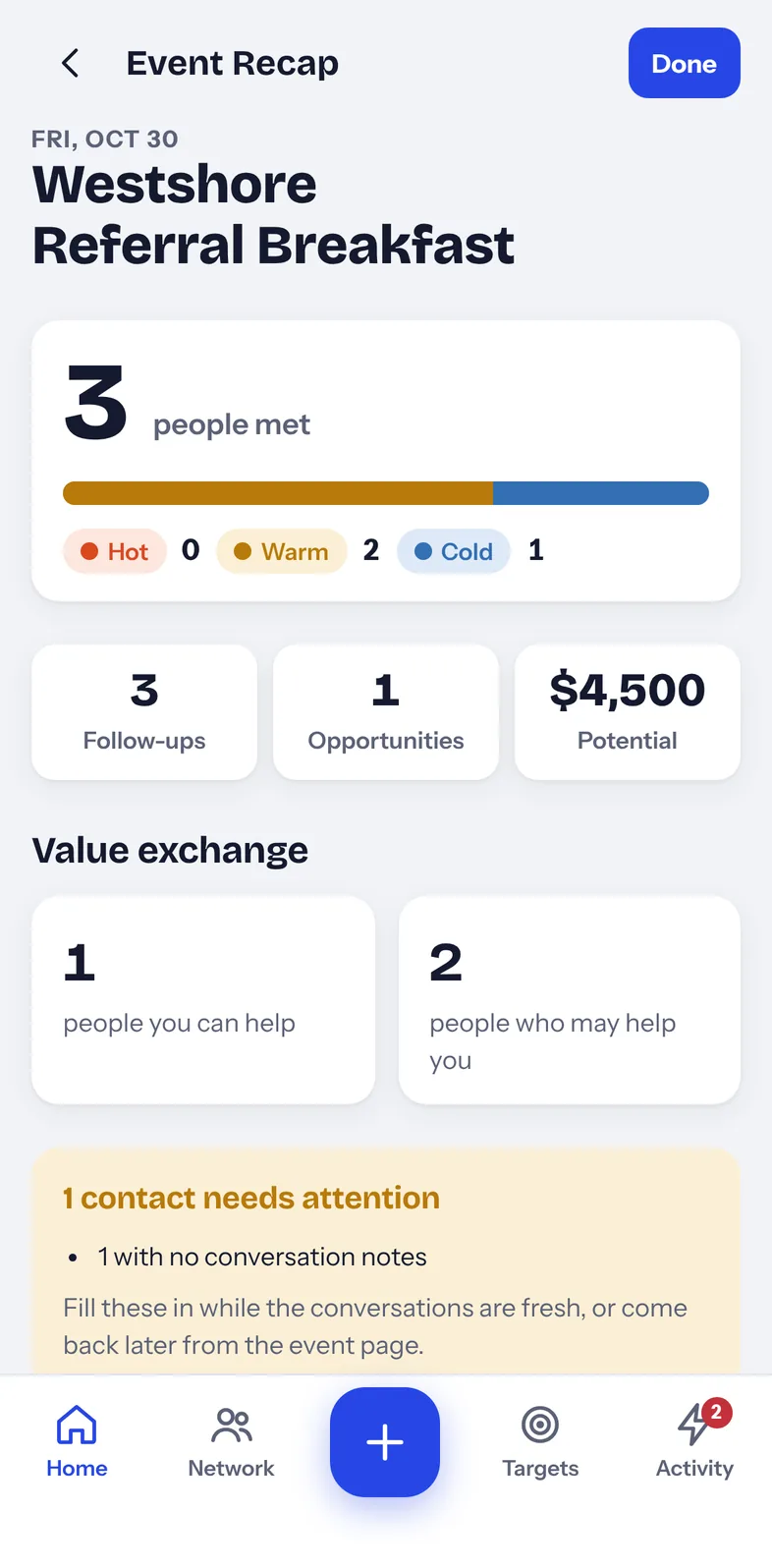
Event recap for the Westshore Referral Breakfast

When you end an event, you get a recap: how many people you met, how many are Hot, Warm and Cold, follow-ups set, opportunities, and who still needs details. Over time you'll see which rooms turn into business.

  • Flags anyone missing a follow-up or notes
  • Past events keep everyone you met

The whole relationship in one place

Remember why every person matters.

9:41
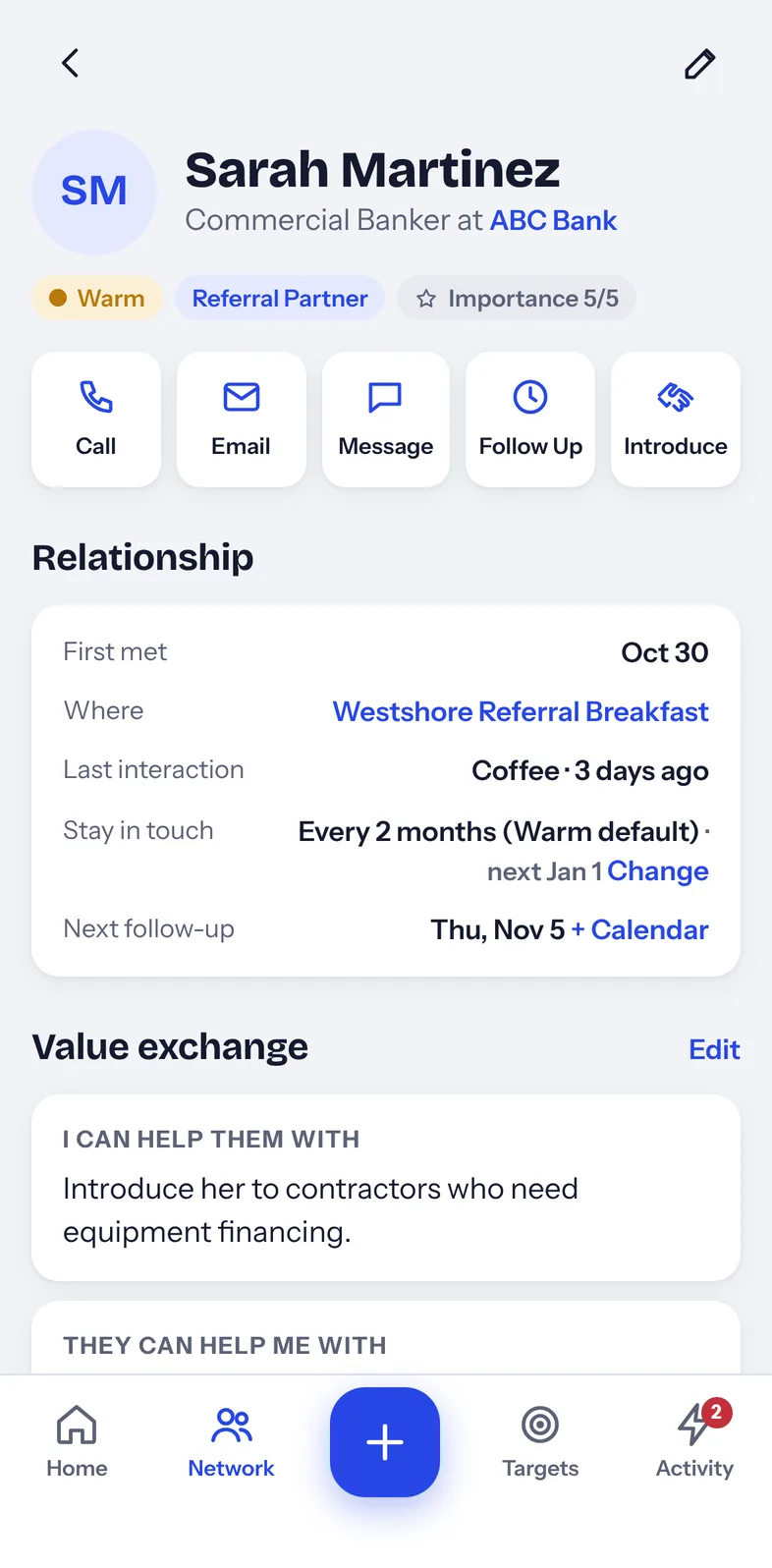
Contact page for Sarah Martinez with relationship details and value exchange

Each contact shows where you met, who introduced you, your last conversation, the next follow-up, and the part most apps skip: what you can help them with and what they can help you with. A timeline keeps the full history.

  • Hot, Warm or Cold, plus a relationship type
  • Importance from 1 to 5
  • Everyone you know at the same company, together
And more

The little things that make it stick.

Calendar and directions

Add any event or follow-up to Apple or Google Calendar, and get directions in Apple or Google Maps.

Works offline

Basement ballroom, no signal? Keep adding people. Everything syncs when you reconnect.

Search and filters

Find anyone by name, company or notes. Filter by Hot, Warm, Cold, relationship type, or who's due for a check-in.

Opportunities

Track the deals that come from your network, so you can see whether networking is turning into business.

Private by design

Only you can see your network. No ads, nothing tracked inside the app, and your information is never sold.

Your data, your call

Export everything to a spreadsheet anytime. Delete your account and everything goes with it.

The first 100 members get it free forever.

NetworkingOS is in early access. Request a spot and we'll reach out personally when yours opens up.

Request early access